
Yes, most big AI chatbots can generate images now, but they do two different jobs. Assistants such as ChatGPT, Gemini and Microsoft Copilot make any picture you describe and let you change it by replying. Character chats such as RealChat (our product), Kindroid and Nomi work the other way around: a character you’re already talking to sends photos of herself mid-conversation, built around a look that stays recognizable. Quick picks: Gemini or Copilot for a free everyday image, ChatGPT for detailed prompts and text inside pictures, Perchance if you won’t make an account, and RealChat if you want photos from a character rather than a blank prompt box.
The comparison reflects each service’s official pages and recent reporting as of October 29, 2026. Most vendors no longer publish exact free limits, so every entry says what “free” means in practice.
Assistant chatbots that make any picture you describe
These are general assistants with an image model plugged in. You ask in plain language, the picture lands in the thread, and your next message can change it.
1. ChatGPT — best for detailed prompts and text inside images
Best for: Precise, detailed pictures and images with readable text
OpenAI's assistant makes images right in the conversation and lets you refine them with follow-up messages in the same thread. It's especially good at following long, specific instructions and at putting readable text into an image.
- Refine by follow-up message
- Follows complex prompts
- Readable text in images
Watch out: Images need a free account; logged-out chat is text only.
Pricing: Free tier; Go $8/mo; Plus $20/mo
Free means: an image allowance kept separate from your chat messages, which OpenAI doesn’t publish as a number; ChatGPT tells you when you’ve reached it. The “two or three a day” quoted around the web comes from user reports, not from OpenAI. The allowance grows on Go and Plus, Pro is unlimited, and the “images with thinking” mode isn’t available on Free or Go.
2. Google Gemini — best for editing a picture by describing the change
Best for: Editing an existing picture by describing the change
Google's assistant creates and edits images in chat using its Nano Banana image models. Editing an existing picture by describing what to change is its standout skill.
- Strong image editing
- Images on the free tier
- Nano Banana Pro on paid plans
Watch out: Guest mode is text only, so images need a Google account.
Pricing: Free tier; more on Google AI Plus, Pro, Ultra
Free means: a free Google account can create and edit images, but the allowance keeps moving. The published daily count has changed several times since 2025, and Google’s limits page now shows a checkmark instead of a number, with images drawing on the same usage meter as chat. Google also warns that if capacity tightens, free users’ limits may be cut before paying users’.
3. Microsoft Copilot — best free option if you have a Microsoft account
Best for: Free everyday images if you have a Microsoft account
Microsoft's assistant creates images inside the chat, continuing the Bing Image Creator line. It's a solid free default for everyday pictures.
- Free with a personal account
- Images right in the chat
- Bigger allowance on Microsoft 365
Watch out: Free use is subject to available capacity and limits.
Pricing: Free; higher limits on Microsoft 365 plans
Free means: a run of fast generations, called boosts, followed by slower queued ones. You can open Copilot and chat without signing in, but Microsoft lists image creation among the features a personal account adds, along with chat history and longer conversations.
4. Meta AI — best for images inside WhatsApp and Instagram
Best for: Quick images inside WhatsApp, Instagram or the Meta AI app
Meta's assistant makes images with its Muse Image model in the Meta AI app, on meta.ai, in WhatsApp and in Instagram. Each prompt returns several options to pick from.
- Works where you already chat
- Several options per prompt
- Free for everyday use
Watch out: Needs a Meta account, and availability varies by country.
Pricing: Free with an unpublished limit; more via Meta plans
Free means: Meta pitches its Muse Image model as free for “everyday creation,” with heavier use moving to its subscription plans, as TechCrunch reported at launch. There’s no published per-image quota, so you find the ceiling when you hit it.
5. Grok — best for images and video in one thread, on a paid plan
Best for: Images and short videos made and edited in one chat thread
xAI's assistant creates images and video with Grok Imagine in a single thread and edits them with follow-up prompts. It runs on the web, iOS and Android.
- Images up to 2K
- Videos up to 15 seconds
- Edit by follow-up prompt
Watch out: Most 2026 reports say image generation is paid-only.
Pricing: Images reported as SuperGrok-only
Free means: for images, budget for a subscription. Most 2026 reports say Grok Imagine was limited to paying subscribers in January and removed from the free tier on March 19. A few later reports still mention small free allowances inside chat, but if pictures are the reason you’re there, SuperGrok is the realistic route.
Free with no sign-up: what works and what doesn’t
If you won’t make an account, the big assistants are out. Logged-out ChatGPT is text only, and OpenAI doesn’t offer the logged-out version in Europe outside the UK. Gemini’s guest mode is text only too, and Copilot won’t create images until you sign in. What’s left are standalone generators.
6. Perchance — best for images with no account at all
Best for: Free images right now, with no account at all
A free browser text-to-image generator: type a description and get pictures, no login needed. It's a generator rather than a chat assistant, so it doesn't remember earlier requests.
- No sign-up
- No daily credit limits
- No watermark
Watch out: Lower resolution and weaker prompt following than the big assistants.
Pricing: Free
Craiyon, formerly DALL-E Mini, is the other familiar no-account option: free and ad-supported, slower, nine images per prompt, with a paid tier that removes the ads. Tools in this group share the same trade-offs:
- No conversation. Each prompt starts from zero, so “make it warmer” means rewriting the whole description.
- No history. There’s no account to hold your images, so save what you like before closing the tab.
- Lower resolution and looser prompt following. Perchance output is reported at around 512×768, and lettering inside images is unreliable.
- Ads or queues on some tools, which is how “unlimited” gets paid for.
Character chats that send photos mid-conversation
Companion chats use the same kind of image models, but there’s no prompt box to fill in. The character has a stored look, and photos arrive as part of the conversation: ask for a picture from the café she just mentioned, and the setting comes from the chat while the face stays hers. It’s the difference between commissioning an image and getting a photo from someone.
7. RealChat (our product) — best for photos from a ready-made character
Best for: Photos from a ready-made character, sent mid-conversation
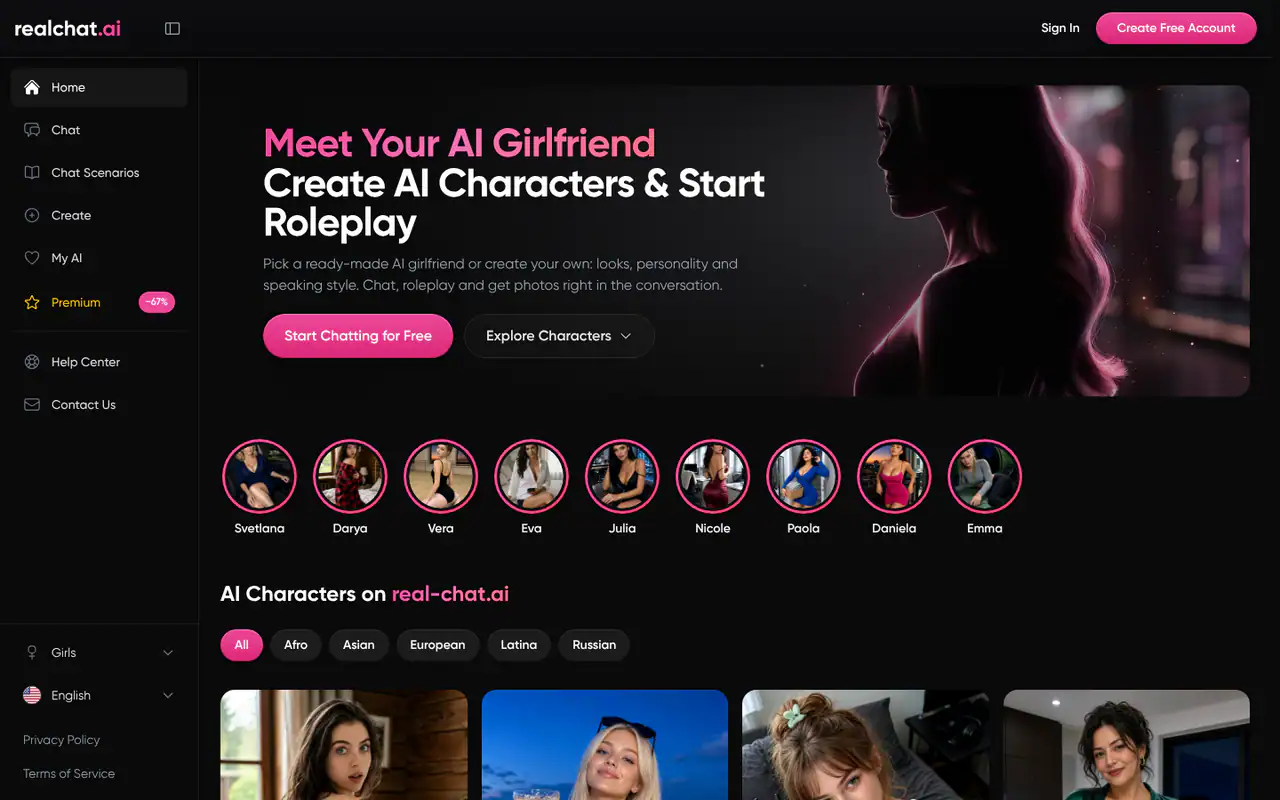
A browser-based AI companion platform: pick a ready-made character from the catalogue, in realistic or anime style, or create your own, and chat. She keeps her personality, remembers meaningful details and sends AI-generated photos right inside the conversation.
- Ready-made characters
- Realistic and anime styles
- Photos arrive in the chat
- Roleplay scenarios
Watch out: Female characters only, and photos need an account and credits.
Pricing: Free text start; photos use credits
Here’s how that plays out with Mina, a 24-year-old drummer in an alt-punk band from the catalogue:
You: How did rehearsal go? Can you still hear anything?
Mina: Barely. We ran the new song until someone banged on the wall. Want proof?
You: Send me a photo from the room.
Mina: [a photo arrives: Mina behind her kit under one warm bulb, sticks resting on the snare, the same face as on her character page]
You can ask in an ordinary message like that or use the photo menu in the chat. Scenarios go a step further: each one sets a place, a situation and an opening scene, and the character sends the first message, so a photo request has a moment to belong to.
8. Kindroid — best for selfies from a companion you design
Best for: Selfies and video selfies from a companion you design
You build a custom companion that sends selfies and short video selfies based on the appearance and persona you set. Video Selfies V4, released at the end of August 2026, focused on keeping the character consistent.
- Selfies from your set look
- Video selfies
- Deep customization
Watch out: Selfies cost credits on top of the plan and don't always arrive.
Pricing: From $13.99/mo on web (Sept 2026)
Reviewers note that the selfies that do arrive hold the character’s identity well, which rewards time spent on the appearance and persona setup.
9. Nomi — best for a companion who answers photo requests reliably
Best for: A companion who reliably sends selfies and art on request
A companion app known for memory and group chats, where companions can send selfies and generate art. Reviewers report that image requests get delivered reliably.
- Selfies and art
- Strong memory
- Group chats
Watch out: Some drift in body or clothing between images.
Pricing: $15.99/mo or $99.99/yr (Sept 2026)
The free tier is one companion with message caps, so you can get a feel for the companion before choosing a plan.
How a chatbot turns a message into a picture
The chatbot itself doesn’t draw. The language model reads what you want, writes a fuller prompt for a separate image model, sends it off and drops the result into the thread. When you reply “make it vertical,” it rewrites that prompt or edits the last image instead of starting over. A short exchange with any assistant shows the loop:
You: A lighthouse at dusk, watercolor, wide shot.
Assistant: [passes something like “watercolor painting of a lighthouse on a rocky coast at dusk, soft orange sky, wide composition” to the image model and shows the result]
You: Same scene, add a storm, and make it vertical for a phone wallpaper.
In a character chat, the prompt is assembled for you from two parts: the character’s stored appearance and whatever is happening in the conversation. That’s why “send me a photo from the beach” gets you her on that beach, not a stranger.
Why the face changes between images
Every generation starts from scratch. Unless the tool hands the image model a reference, such as the previous picture or the same detailed description, it has no idea what the subject looked like last time and invents a plausible new face. Assistants keep a subject steadier when you edit an existing image instead of regenerating it, and when you reuse the exact wording. Companion apps fix it at the source by storing the character’s look and feeding it into every photo. Kindroid built its latest video selfie update around consistency, while reviewers still see some outfit and body drift on Nomi.
For the full technique, our guide to images in AI roleplay covers visual anchors and fixed styles, and the appearance step in how to create an AI character shows how to write a look that holds up photo after photo.
Getting better images out of a chat
- Cover four things up front: subject, style, framing and light. “A cat” leaves it all to chance; “a gray cat asleep on a windowsill, film photo, close-up, morning light” doesn’t.
- Change one thing per reply. “Warmer light” works. “Warmer light, different cat, wider, add rain” tends to break what was already right.
- Edit, don’t restart. Pointing at the last image keeps its composition; a fresh request rolls the dice again.
- Ask to see the prompt. Have the assistant show the full description it used, fix the words you don’t like and send it back.
- Name the format. Vertical for a phone, square for a profile picture, wide for a banner.
- In a character chat, ask in the story’s terms. “Send me a picture from the balcony now that the rain’s stopped” beats a keyword list. On RealChat, a short aside in parentheses also steers the character without breaking the scene.
Which one to use for which job
- A quick picture of anything: Gemini, ChatGPT or Copilot, whichever account you already have.
- Editing a photo or an image you made: Gemini first, ChatGPT close behind.
- Images and short video together: Grok, on a paid plan.
- Inside your messaging apps: Meta AI.
- No account, right now: Perchance, if you can live with lower quality.
- A character who sends photos as you talk: RealChat for ready-made characters, scenarios or one you create; Kindroid or Nomi for a single long-term companion. If anime is your style, our anime waifu chat guide covers keeping those photos on model.
The table sums it up as of October 29, 2026.
| Tool | Type | Free access | Sign-up for images | Consistent character | Best for |
|---|---|---|---|---|---|
| ChatGPT | Assistant | Free, unpublished image limit | Free account | Only by editing | Detailed prompts, text in images |
| Gemini | Assistant | Free, unpublished limit | Google account | Only by editing | Editing pictures |
| Microsoft Copilot | Assistant | Free: boosts, then a queue | Microsoft account | Not built in | Free everyday images |
| Meta AI | Assistant | Free for “everyday creation” | Meta account | Not built in | Images in WhatsApp and Instagram |
| Grok | Assistant | Images reported paid-only | Account plus SuperGrok | Only by editing | Images and video in one thread |
| Perchance | Generator | Free, no daily credit limits | None | No | Instant images, no account |
| RealChat (ours) | Character chat | Free text start; photos use credits | Account | Yes, set character look | Photos from a character mid-chat |
| Kindroid | Character chat | Free tier, limited selfie credits | Account | Yes, from your set appearance | Selfies from a custom companion |
| Nomi | Character chat | Free tier with message caps | Account | Mostly; some outfit drift | Dependable selfies and art |
Common questions
Can I upload my own photo and edit it by chatting?
Yes, in the big assistants. That’s image-to-image editing: attach a picture and describe the change. Gemini is known for it, and ChatGPT handles it too. Character chats run in the opposite direction, with the character sending photos to you.
Are free AI images watermarked?
It depends on the tool. Meta AI marks its output with AI labels, while Perchance says it adds no watermark at all.
Do chatbot images come in HD?
The big assistants produce noticeably sharper images than free no-account generators, and Grok goes up to 2K. Paid plans often unlock stronger models too, such as Nano Banana Pro on Google’s paid tiers.
Is any chatbot unlimited for images for free?
Not among the assistants: unlimited images is a paid feature, as with ChatGPT Pro. Perchance has no daily credit limits, but you trade resolution and accuracy for it.
How photo credits work on companion apps
Companion platforms usually bill words and pictures separately. Text chat is covered by a free tier or a plan, while photos cost credits or need a premium plan; Kindroid, for example, charges credits for selfies on top of its subscription.
RealChat splits it the same way. You can chat with any catalogue character before signing up, but photos need an account and credits. A plan is one payment for one, three or twelve months and includes unlimited messages plus credits. Credit packs are also sold separately. Plan credits expire when the plan ends, pack credits never do, and nothing renews automatically. The pricing page has the current details.
To try it, pick someone from the catalogue of ready-made characters, in realistic or anime style, or design a character with your own look and personality. Your first one is free, and you can build her before signing up. Chat for a few messages, then ask for a photo in a normal message or from the photo menu in the chat.