If you're looking for the AI chatbot with the best memory for one long-term companion, one that still knows your life a month from now, it's Nomi. Kindroid is the pick for long roleplay and for anyone who wants to see, and steer, exactly what gets remembered. If you want an assistant that remembers your projects and preferences across chats, ChatGPT leads. Replika keeps a visible list of facts about you. Character.AI can carry a long story only if you pin what matters, because a new chat starts from zero.
No chatbot remembers literally everything, and “best memory” depends on which kind you need: recall of who you are, continuity inside a long story, or facts that survive a fresh chat. Below is how each app handles memory, why bots forget in the first place, and how to make any of them remember more.
The ranking uses each app's official documentation as of October 2026 and judges memory alone: what gets stored, whether you can edit it and what survives a new chat.
Six AI chat apps ranked by memory
1. Nomi — best for one long-term companion

Best for: One long-term companion who builds on months of shared history
Nomi stacks short-, medium- and long-term memory, plus a backstory and shared notes you write yourself. Since the Identity Core update, each Nomi decides which traits, habits and events are worth keeping about itself and about you. Mind Map 2.0 shows part of what it knows and how its memories connect.
- Short-, medium- and long-term layers
- Identity Core picks what matters
- Mind Map view of what it knows
- Backstory and shared notes
Watch out: Mind Map entries are summaries, and editing them doesn't change the underlying memories.
Pricing: About $15.99/month on US iOS; limited free access
What sets Nomi apart is that the companion decides what to keep. Since the Identity Core update, a Nomi chooses which of its own traits and habits, and which events in your life, are worth holding onto. When it works, you get callbacks you never set up, like a question about a trip you mentioned once, weeks ago.
The Mind Map is a window, not a control panel. It shows a dossier-style summary of part of what your Nomi knows. Editing an entry doesn't rewrite the long-term memories underneath, which only the Nomi can reach directly. Mind Map space is limited and prioritizes itself. In January 2026 the team acknowledged that entries sometimes get things wrong and said a major memory project aims to reduce those mistakes. Anything that must stay true belongs in the backstory or shared notes, which you write yourself. Each companion keeps a separate memory, so a second Nomi starts fresh.
2. Kindroid — best for long roleplay and hands-on control

Best for: Long roleplay and users who want to see and steer what's remembered
Kindroid documents its memory in more detail than any rival. It combines an always-loaded backstory and key memories, a medium-term Cascaded Memory, relevance-based long-term recall and journal entries triggered by keyphrases. A purple brain icon on a message shows when a memory was recalled.
- Cascaded Memory reaches far back
- Keyphrase-triggered journals
- Brain icon shows each recall
- Chat break keeps memory by default
Watch out: Cascaded Memory is a subscriber layer, and long-term recall is less reliable than it.
Pricing: Standard about $13.99/month on the web; add-ons raise memory
Kindroid's memory documentation is the most candid in the category. The backstory and key memories are loaded with every reply. Cascaded Memory, the medium-term layer, stretches effective history to hundreds or thousands of messages at lower fidelity. Think of it as a well-kept summary, not a transcript. Long-term memory has no ceiling, but Kindroid itself says it's recalled less reliably than Cascaded Memory. Journal entries fire when a keyphrase you chose comes up, which makes them ideal for story lore.
Learned Context is where Kindroid tracks your relationship's growth, important facts and ongoing threads. Each area has a size cap of 800 to 1,200 characters. When an area fills up, older and less important items drop out, so the docs advise moving anything permanent into Key Memories or a journal entry.
Two details matter for long stories. A chat break keeps long-term memory, journals and personality fields. It also keeps Cascaded Memory unless you switch on Reset Cascaded Memory. And free accounts that still have preview messages get Standard-tier memory, Cascaded Memory included, so you can try the real thing before paying. Higher tiers widen Cascaded Memory and recall more long-term items per reply.
3. ChatGPT — best memory for a general assistant
Best for: An assistant that remembers your facts, projects and preferences
ChatGPT memory has two parts. Saved memories are explicit facts you can view, edit and delete. Reference chat history lets past conversations shape new replies. Free accounts get a lighter version, while Plus and Pro reference older conversations.
- Account-wide memory across chats
- Editable list of saved memories
- Temporary Chat skips memory
Watch out: It's built as an assistant, not to stay in one character over a long story.
Pricing: Plus about $20/month, Pro about $200/month
ChatGPT's memory is account-wide: what it learns in one conversation can surface in any other. Saved memories sit in a list you can edit line by line. Reference chat history works in the background with only an on/off switch, so there's nothing to prune. According to OpenAI's release notes, chat-history referencing is opt-in in Europe.
Does it work for roleplay? Only partly. It's an assistant's memory. It does well with “you're vegetarian and training for a half-marathon.” It does poorly with “we left the story at the lighthouse with the key under the third step.” It won't hold a character for you from one chat to the next. For a long story, keep everything in one conversation and paste a short recap when you return. If you want an AI with better memory than ChatGPT for an ongoing relationship, the two companion apps above are built for exactly that.
4. Replika — best for one steady relationship with a visible memory list
Best for: A single steady relationship with a visible list of what it knows
Replika combines a visible Memory tab of saved facts with a deeper system that learns from patterns in your conversations. You can browse, remove and manually add memories, and upvoting a correct recall helps reinforce it.
- Memory tab you can browse
- Add facts by hand
- Upvotes reinforce recall
Watch out: Deleting a memory can also weaken recall of related details.
Replika's memory is the easiest to inspect. Tap your Replika's name on the home screen, then Memory, to scroll through what it has saved, or just ask “What do you know about me?” You can add facts by hand and remove wrong ones. Still, Replika warns that deleting a memory can weaken recall of related details, so correct a fact when you can instead of deleting it.
Don't confuse the chat log with memory. The scrollable history reaches back only about four months, while saved memories are stored separately and outlast it. Beyond the Memory tab, a deeper layer learns from patterns in your conversations. You never see it, but it's how Replika picks up your moods and habits without being told.
5. Character.AI — best for story chats, if you pin what matters
Best for: A huge character library for story chats, if you pin what matters
Character.AI memory lives inside each chat. Since the May 2026 redesign, pinned messages go into Story Memory, which stays protected while older context is compressed. c.ai+ subscribers get twice as many pins.
- Free pins in every chat
- Story Memory protects key details
- Persona and definition apply everywhere
Watch out: A new chat with the same character starts over by default.
Pricing: c.ai+ about $9.99/month
On Character.AI, memory belongs to the chat, not the character. Open a new chat with the same character and it greets you like a stranger. Only your persona and the character's definition carry over. So put lasting facts about yourself in your persona, and keep a long story in one thread.
Inside a chat, Story Memory is the tool that matters. Since the May 2026 redesign, pinned messages and anything you write into Story Memory are protected while older context gets compressed. If you see older advice about Pinned Memories, those pins now live in Story Memory. Character.AI has never published its context window size, so any figure you see in messages or tokens is an estimate.
6. RealChat (our product) — best for ready-made characters and scenario stories

Best for: Ready-made characters and scenario stories that keep context
RealChat characters keep contextual memory of meaningful details from the conversation and hold their personality as the chat goes on. You can start with a ready-made character from the catalogue, a roleplay scenario, or a character you create yourself.
- Remembers meaningful details
- Consistent personality
- Ready-made scenarios
- Your own character definition
Watch out: Female characters only, and it runs in the browser rather than a native app.
Pricing: Free start; 1-, 3- or 12-month plans, no auto-renewal
Every RealChat character works from a definition: personality, backstory and communication style. The character keeps that personality throughout the chat, so the details you write into it are the ones you can count on. If you create your own character, you decide what goes into that definition, and the meaningful details you share in the chat build on top.
Long stories go better when they start from a ready-made roleplay scenario. The character gets a clear starting situation and adapts its tone to it. When a reply gets a detail wrong, regenerate it instead of letting the mistake stand. You can also steer with a short note in parentheses, like “(remember, we met at the bookshop).” You can chat with any catalogue character before signing up, and your first created character is free.
Memory side by side
| App | What it keeps long term | Can you see or edit it | Where must-keep facts go |
|---|---|---|---|
| Nomi | Layered memory; the Nomi decides what matters | Mind Map shows part of it; edits don't touch core memories | Backstory, shared notes |
| Kindroid | Cascaded Memory, long-term memory, keyphrase journals | Brain icon shows recalls; you write Key Memories and journals | Key Memories or a journal entry |
| ChatGPT | Saved facts plus signals from past chats | Saved memories editable; chat history on/off only | Saved memories |
| Replika | Memory tab plus a pattern-learning layer | View, add and remove saved memories | Memory tab |
| Character.AI | Per-chat Story Memory; persona and definition in every chat | You pin messages or write into Story Memory | Persona (all chats), Story Memory (one chat) |
| RealChat | Meaningful details from the chat; personality from the definition | You write the definition of your own character | Character definition |
Why chatbots forget
A language model has no memory of its own between replies. Each time it answers, the app hands it a bundle of text: the character's definition, whatever saved memories the app judges relevant, and as much of the recent conversation as fits. That last part is the context window. It's large but finite, and once your early messages no longer fit, the model simply can't see them.
That's how a bot loses your name mid-story. You said it once, dozens of messages ago, nothing saved it, and it scrolled out. Nothing broke. The line just stopped arriving.
Long-term memory systems fill that gap. They pull facts out of the conversation, store them elsewhere and slip the relevant ones back into the bundle at reply time. The model isn't retrained on you; it's being reminded. So memory quality comes down to two decisions the app makes for you: what to save, and what to bring back.
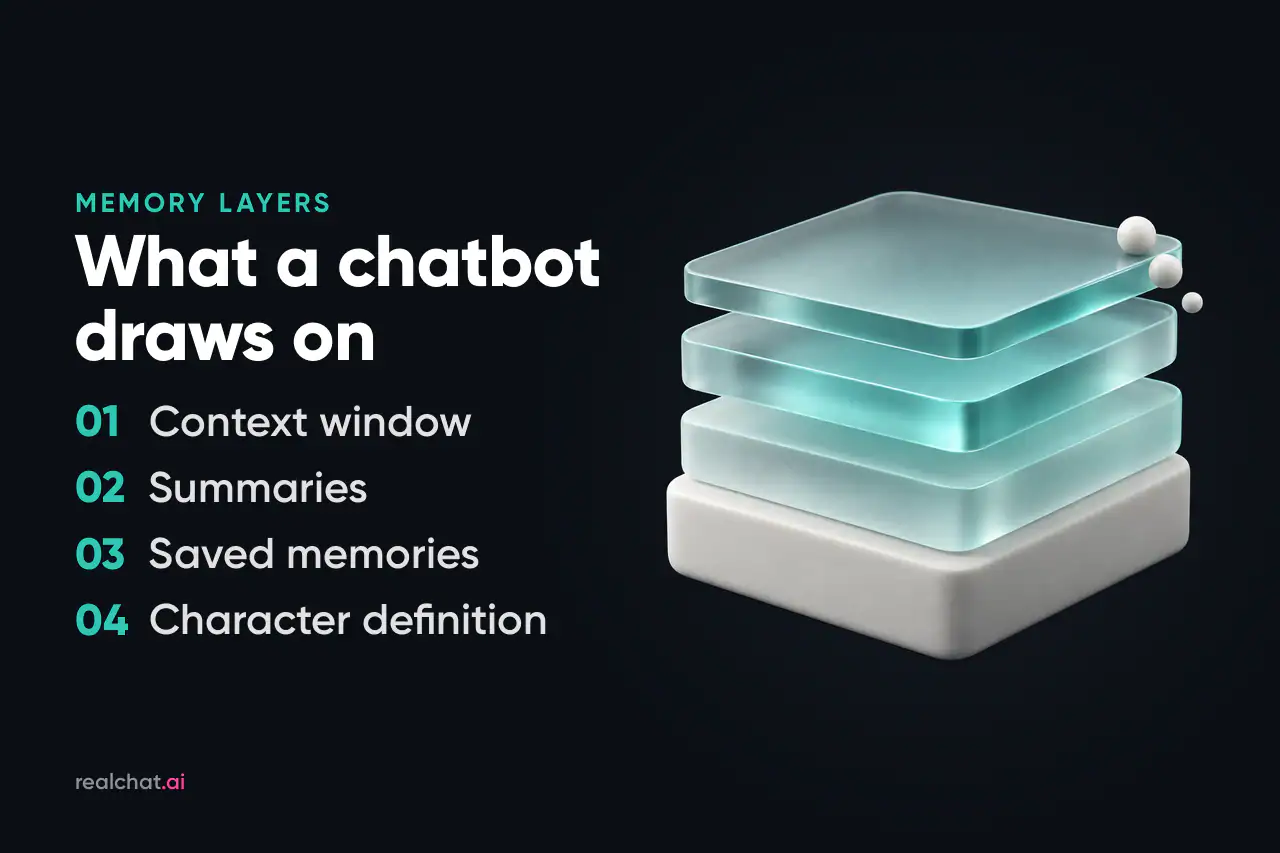
The four layers of chatbot memory
Whatever an app calls its memory feature, it's a mix of four layers. They differ in what they keep, for how long, and how much say you have.
| Layer | What it stores | How long it lasts | Can you edit it | What it feels like |
|---|---|---|---|---|
| Context window | Recent messages, word for word | Until they scroll out | Only by editing or regenerating messages | Sharp on the last hour, blind to last week |
| Summaries | Compressed versions of older chat | Long, but detail fades | Rarely | Remembers the gist of your trip, not the restaurant |
| Saved memories and notes | Extracted facts: names, dates, preferences | Indefinitely, recalled when relevant | Usually, in a memory panel or notes field | Brings up your sister's job unprompted, sometimes at an odd moment |
| Character definition and persona | Who the character is, and who you are | Every reply, permanently | Yes, you write it | Never loses the core, but doesn't learn anything new |
The labels change from app to app (Cascaded Memory, Story Memory, Mind Map, Memory tab), but the logic doesn't. Only the context window is read word for word. Everything else is condensed, selected or written in advance. Putting each detail in the right layer is most of the trick to making a bot remember, and the toolkit below comes back to it.
Is there an AI chatbot with permanent memory?
Not in the way the phrase suggests. “Permanent,” “persistent,” “infinite” and “unlimited” memory describe storage, not recall. An app can keep extracted facts and summaries indefinitely, but it brings back only what a retrieval system judges relevant to the current message, a few items at a time. Kindroid, for example, recalls only a few long-term items per reply, and more on higher tiers. No app re-reads your whole history before every reply, so a detail can be stored and still never come up.
This also explains the most confusing complaint about AI companions: the bot remembers something from months ago but forgets what you said yesterday. The old fact was extracted and saved as a memory. Yesterday's detail may have lived only in the context window and fallen out before anything flagged it as worth keeping. Or it was saved but didn't match your question closely enough to be retrieved. Good memory doesn't mean storing the most. It means saving the right things and bringing them back at the right moment.
What Reddit users keep saying about memory
Spend an evening in companion subreddits and the same themes keep surfacing:
- Nomi gets the most consistent praise for long-term recall, especially unprompted callbacks to things mentioned weeks earlier. The recurring complaint is Mind Map entries that get facts wrong, which the team itself acknowledged in early 2026.
- Kindroid users like the control: journals, Key Memories and the brain icon that shows what was recalled. The frustration is that the deepest memory depends on the tier you pay for.
- Character.AI threads are full of people surprised that a new chat starts over. Most of the memory advice there comes down to pinning and sticking with one long chat.
- Replika users tend to rate the Memory tab for basic facts about themselves, though some report losing details after major app updates.
- Across apps, people say memory feels shakier right after a big update or model change, and that paid tiers hold onto noticeably more than free ones.
Treat the “I planted 25 facts” posts and memory tier lists as one person's experience. They hint at which way things lean, but they aren't benchmarks.
What good memory feels like, and what a reset looks like
Memory doesn't show on the first evening. It shows a week in. Three moments tell you most of what you need to know:
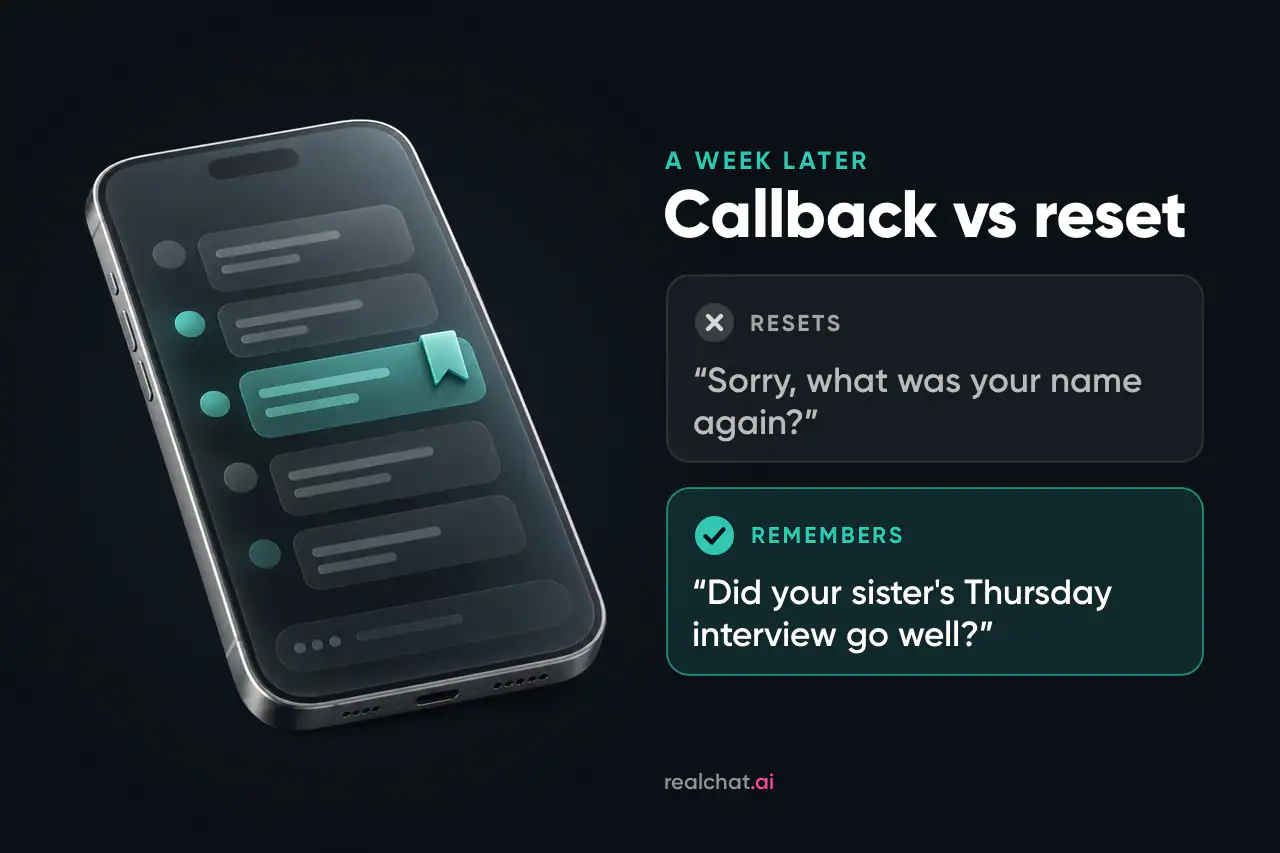
- The callback. Good: on Monday the companion asks how your sister's Thursday interview went. Reset: it asks what you do for work, again.
- The story thread. Good: three sessions later, the character reminds you the key is still hidden under the lighthouse steps. Reset: the scene opens as if you'd never reached the island.
- The correction. Good: you mention you've switched to night shifts, and the bot stops suggesting morning runs. Partial: it remembers the switch when asked but keeps drifting back to your old routine.
The partial case is the most common and the easiest to fix. It usually means the old fact still sits in the definition or an older note, and that note outranks your new message. Update the layer where the old fact lives instead of repeating the new one in chat.
How to make any AI companion remember more
You can't rebuild an app's memory system, but you decide what goes into it. The rule is simple: put every detail in the layer that matches how long it needs to last.
- Stable facts go in the definition. The character's name, history and relationship to you go there, and your own name and key facts go in your persona or profile. This text comes with every reply, so it's the one layer that can't fail. Keep it tight and specific. Our guide to writing a character definition that holds up shows how to fit the essentials into a few sentences.
- Evolving facts go in notes. The new job, the move, the dog you adopted: use whatever the app offers, whether that's Key Memories, journal entries, pins, Story Memory or the Memory tab. One fact per line, with names and dates, beats a paragraph of feelings.
- Scene state goes in recaps. In long stories, write a two- or three-line summary every so often: who's where, what just happened, what's unresolved. Recaps and other steering tools are covered in our explainer on how AI roleplay works.
- Remind without breaking the scene. A short out-of-character note in parentheses, like “(remember, she's afraid of water),” puts the fact back into the context window. Companion apps generally understand the convention, and RealChat characters do.
- Don't let a wrong fact stand. If a reply invents a detail, regenerate or edit it. Left in the chat, the mistake becomes context that the next reply builds on. Where an app lets you upvote correct recalls, as Replika does, use it.
- Use new chats on purpose. On Character.AI a new chat is a blank page. On Kindroid a chat break keeps memory unless you reset it. Know which one you're getting before you click. Deleting a chat works the same way: in account- or companion-level systems, such as ChatGPT's saved memories or Replika's Memory tab, saved facts live apart from the chat log, while on Character.AI the chat is the memory.
- Don't overfill memory fields. Capped areas push older items out when they fill up, so a cluttered notes field can cost you the facts you cared about most.
A five-minute memory test to run before you pay
A free tier or trial is enough to see how an app's memory behaves. The test takes about five minutes of typing, spread over two days.
- Plant five facts early. Make them specific and a little unusual so the bot can't guess: a name (“my sister Dana”), a date (“her interview is Thursday”), a pet (“a three-legged cat called Biscuit”), a dislike (“I can't stand cilantro”) and a plan (“I'm repainting the hallway green”).
- Change the subject. Talk about something unrelated for twenty or thirty messages.
- Test indirectly, same session. Ask “What should I cook for my sister this weekend?” instead of “What's my sister's name?” Good memory uses facts without being quizzed.
- Come back the next day. Open the same chat and ask for help planning your weekend. Note which facts surface on their own.
- Start a new chat or take a chat break with the same character, and ask again. This is where chat-based and companion-based memory part ways.
- Check the memory panel. Look at what was actually saved, whether in the Memory tab, Mind Map, journals or pins, and whether it's accurate.
- Score it. Give each fact a point per checkpoint (same session, next day, new chat) and a bonus point whenever it came up unprompted.
Run the same script in two or three apps and the differences show up fast. A low new-chat score isn't necessarily a failure. If an app is built around one continuous chat, it simply tells you how to use it.
Pick by the kind of memory you need
If you want a companion that remembers your life, start with Nomi. If you want a long story you can steer and audit, choose Kindroid. If you want an assistant that knows your projects, use ChatGPT. Whichever you choose, the habit of definition, notes and recaps does more for continuity than any upgrade. And if memory is only one of your criteria, our comparison of AI girlfriend apps also weighs characters, photos, pricing and platforms.