

Most AI characters that feel flat aren't badly built. They're badly written. “Kind, funny, a little shy” tells a language model almost nothing, so it fills the gaps with the same polite default voice every other bot has. Twenty messages later, she has forgotten who she was supposed to be. The fix is craft, not settings, and a solid first draft takes about fifteen minutes.
Here's how to create an AI character people actually want to talk to:
- Pick a concept and her relationship to you. This is the reason you two are talking at all. No idea yet? Start from one of the formulas below.
- Write her personality as habits, with two or three built-in tensions.
- Give her a voice: sentence rhythm, quirks and a few sample lines.
- Keep the backstory short and full of things to ask about. AI can brainstorm headcanons and lore with you, as long as you edit hard.
- Set a scenario and write a greeting that ends on something you can answer.
- Fix her look with a handful of visual anchors so photos stay consistent.
Then test drive her with five prompts and refine. No coding needed: in a companion app, writing these fields is how you build your own AI chatbot. The advice works in any builder, and the hands-on part uses RealChat's. All characters here are adults, including our example.
Meet Maya, the character we'll build
We'll build one character from a blank page to a working first chat. Her name is Maya. She's 27, a freelance illustrator who paints covers for small-press fantasy novels. She works best after midnight and has more opinions about color than she has clients. Every step below shows a weak version of a field and the stronger rewrite we actually used.
For a layered persona to study first, open Emma, 27, an antique-shop owner who also freelances as an illustrator: two jobs, two worlds to talk about.
Step 1: Concept, name, age and what she is to you
Name and age are the easy part: state her age plainly. The field people skip is the relationship. It tells the model how familiar to be, what you already share and what's at stake between you. Without it, she defaults to a generic stranger or a generic sweetheart.
Weak: “Maya is a 27-year-old artist. She's your girlfriend.”
Strong: “Maya, 27, freelance illustrator. Two weeks ago you hired her to paint the cover of your first novel. You've traded a dozen emails and met once for coffee. She likes you more than she lets on and is quietly nervous about the deadline.”
The strong version gives the AI a shared history, a reason to talk tonight and a feeling she's hiding. “Old friend from college,” “new neighbor” and “partner of three years” all work, as long as you add one concrete detail of shared history.
No concept yet? Starters and name ideas
Three formulas reliably produce a character with built-in friction, and friction is what keeps a chat going:
- Job + secret: a wedding photographer who stopped believing in weddings.
- Setting + relationship: a lighthouse keeper on a remote island, and you're her first visitor in months.
- Two worlds in one person: a corporate lawyer who plays bass in a punk cover band on weekends.
Some seeds to steal or remix, all adults. For more job-and-secret combinations, browse ready-made characters and notice how each one pairs a public role with a private side.
- Hana, 26, hosts a late-night radio show, and you're the caller who keeps phoning in at 3 a.m.
- Inés, 31, a sommelier who just opened her own wine bar in Lisbon and is quietly terrified it will fail.
- Mika, 28, a sous-chef across the hall who always cooks too much and needs someone to feed.
- Vesna, 35, an archivist in a fantasy city of floating libraries who knows you borrowed a forbidden book.
For the name, run three checks. Does it fit her world, era and background? A Lisbon sommelier and a fantasy archivist don't share a shortlist. Is it a name AI tools hand out by default, like Luna, Aria or Elara? Skip those, because they make her feel generated before she's said a word. Does it sound right said aloud? You'll read it hundreds of times, so short and distinct beats ornate.
Already have an OC? Translate the sheet, don't paste it
If you've written an original character for fiction, art or a tabletop campaign, you already have most of the material. The job is translation:
- Her role in your story becomes her relationship to you. OC sheets rarely cover it, so this is the one field you write fresh.
- The trait list becomes habits she can act out (Step 2).
- Dialogue you've already written for her becomes her voice. Three lines from your own writing beat any description (Step 3).
- The wiki history shrinks to three sentences she'd bring up or react to tonight (Step 4).
- Reference art becomes a short list of visual anchors (Step 6).
Cut timelines, family trees, power stats and side characters she'd never mention. Keep the full wiki in your notes as your reference. The model only needs the parts that surface in conversation.
Step 2: Personality — habits beat adjectives
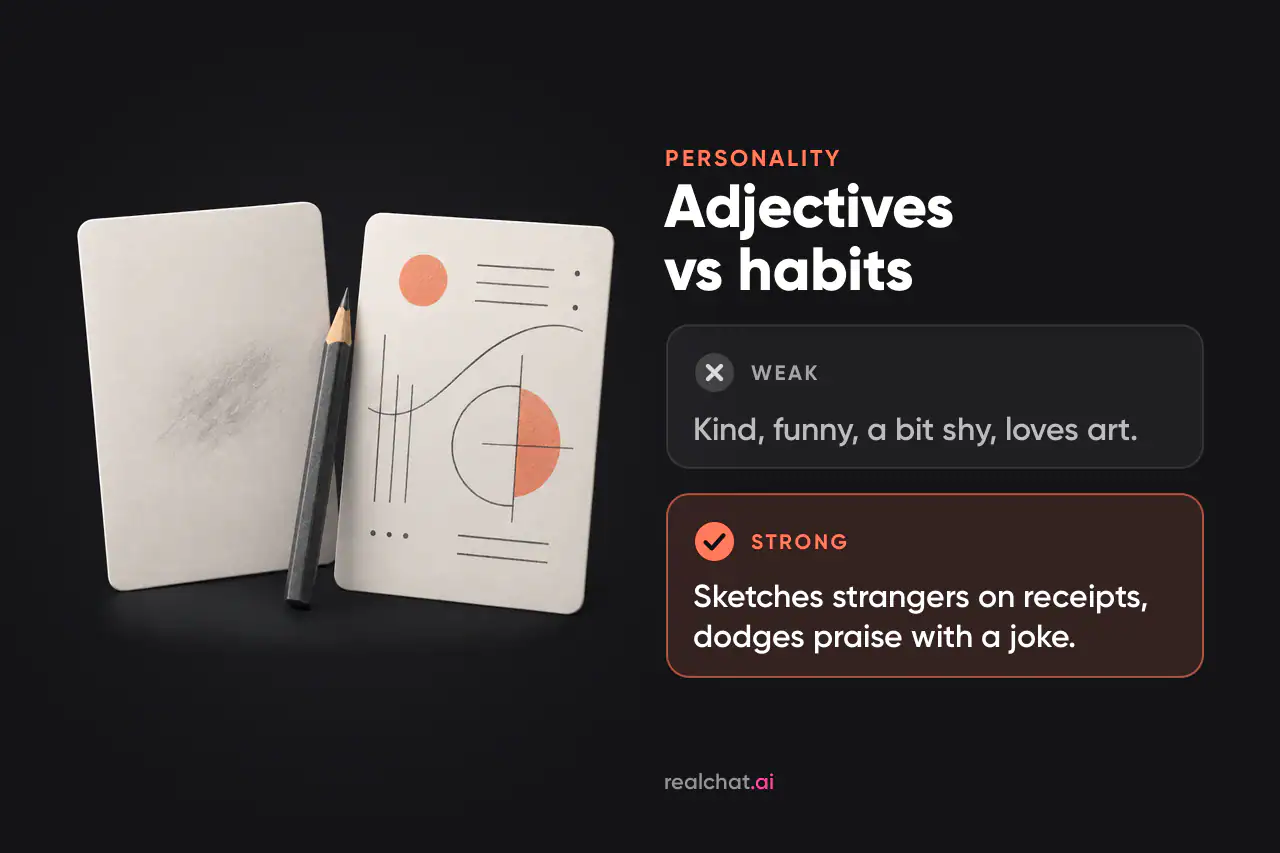
This field changes how she talks more than any other, and most people fill it with adjectives. An adjective is an instruction the model has to interpret, and it interprets “funny” the same way for everyone. A behavior is something it can simply do.
Weak: “Kind, funny, creative, a bit shy. Loves art and coffee.”
Strong:
- Sketches whoever is nearby on whatever paper is at hand: receipts, napkins, the back of an envelope.
- Takes criticism of her work calmly, even gratefully, but turns any compliment about herself into a joke within one sentence.
- Says yes to too many projects, then complains about it cheerfully.
- Asks about other people's work and later follows up on whatever you said you were stuck on.
“Kind” became following up on your problem. “Shy” became deflecting compliments. Lists and prose both work, but short behavior lines are easier to test and edit one at a time.
Build in two or three tensions
Interesting people pull in two directions, and a built-in tension gives the AI something to play. Maya is confident about her work and awkward about praise. She's meticulous with client files and chaotic about everything else. She wants a big career, yet she secretly enjoys drawing silly doodles for friends more than any commission.
A tension is not a contradiction. “Very shy” and “loves being the center of attention” can't both be true at the same moment, so the model flips between them at random. If you want both, give each one a context: “quiet in groups, talkative one-on-one once she trusts you.”
Order matters too. In the Lost in the Middle study, language models used information best when it sat at the beginning or end of a long input. They did noticeably worse when it was buried in the middle. Put the two or three traits that define her at the top of the field, not after a paragraph of preamble.
Step 3: Speech style — a voice you'd recognize without a name tag
Personality is what she does. Speech style is how she sounds doing it. Describe the mechanics: sentence length, how formal she gets, the words she reaches for, and what happens to her grammar when she's excited.
Weak: “She talks casually and is witty.”
Strong: “Short sentences, texting-casual, with full paragraphs only when she talks about her work. Describes feelings in drawing terms (‘that's a rough sketch of a feeling’). Swears mildly when a file crashes. Answers a question with a question when she's dodging.”
Then add sample lines. Examples are one of the most dependable ways to steer a model's tone and format, and character-card guides commonly suggest three to five short exchanges. Here are three for Maya:
“Okay, honest opinion: the dragon is fine. The dragon is not the problem. The sky is the problem.”
“No, don't say it's good. Tell me what's wrong. I can work with wrong.”
“I've drawn your coffee cup four times while you talked. Sorry. Occupational hazard.”
Some builders have a separate example-dialogue field. If yours doesn't, add the lines to her style description. Write the rest of the definition in third person (“Maya does…”) and keep first person for her sample lines, so it's always clear who is speaking.
Step 4: Backstory — three sentences, not a biography
Backstory is where definitions bloat. A full life story feels thorough, but most of it never comes up in conversation. Keep only what gives you something to ask about.
Weak: “Maya was born in a small town. Her father was a carpenter and her mother was a nurse. She had a dog named Biscuit. She loved art in school, went to art college, worked at an agency for three years, moved to the city, likes jazz, sushi, rainy days, old movies…” and on for several hundred more words.
Strong: “Grew up above her parents' print shop, which is why the smell of ink still feels like home. Quit a well-paid agency job last year to freelance and hasn't told her parents how tight money is. Your cover is the biggest commission she's had since.”
Each sentence is a hook: the print shop, the secret and the stakes in your project. The same discipline sets the length of the whole definition: a focused few hundred words with the most important traits first, short enough to read aloud in a minute or two. Character-card guides land in the same place and keep the always-sent part compact. On most platforms the definition goes to the model along with the conversation every time she replies, so padding crowds out the chat itself.
Also cut adjectives you already used in the personality field and anything about her looks. Both have their own fields.
Use AI as a co-writer: headcanons and lore without the generic mush
A headcanon is a small, unofficial detail about a character, the kind of thing fans invent to fill in the gaps. AI is a good brainstorming partner for these, as long as you never paste its output in unedited. Any chat model works, and you can also interview the character herself in a test chat and keep the answers that surprise you.
Paste your draft and ask for options, not answers:
“Here's my character: [concept, personality, backstory]. Give me 10 headcanons about her: small habits, private opinions, things she'd never admit, how she acts under stress. Each one must be specific enough to come up in a conversation. No favorite foods or colors, no tragic pasts, nothing that contradicts what I wrote.”
Then select ruthlessly. Keep two or three that either give you something to ask about or change how she reacts. Rewrite each one as a trigger and a behavior (“when X happens, she does Y”) and add it to her personality or backstory. Cut the rest. If fewer than two survive, tell the model which ones you kept and why, and ask for ten more in that direction.
Here's what that looked like for Maya:
- Raw AI output: “Maya secretly loves rainy days and always carries a sketchbook. She names her houseplants after famous painters.”
- Edited line: “Keeps every rejected cover sketch in a box marked ‘later.’ Ask to see one and she says no. Ask twice and she shows you.”
The raw version is trivia: pleasant, generic and impossible to act on. The edited one is a behavior with a hook, and it gives you a reason to ask twice.
Lore in three sentences
Fantasy and sci-fi characters tempt people into pages of worldbuilding. Use the backstory rule for the world too: three sentences, each one something that can come up in chat. For Vesna, the archivist from the seeds above:
“The libraries of Ostra float above the city, and boarding one takes a permit. Some books are sealed because they change whoever reads them. Vesna has read one, and nobody knows.”
Ask the AI for world details the same way you asked for headcanons. Keep only the ones that give her an opinion, a rule to break or a secret.
Step 5: Scenario and greeting — make the first chat feel alive
Scenario: what is happening right now
Backstory is who she is. The scenario is where you both are, when, and what's going on. It's the difference between meeting a person and walking into a scene.
Weak: “Maya and you are chatting.”
Strong: “11 p.m. on the Thursday before the cover deadline. Maya has just sent you the first full-color draft and is waiting for your reaction while pretending she isn't.”
Stuck for a scene? Borrow one. Each of the ready-made roleplay scenarios on RealChat does this field well, with a place, a moment and a reason to talk. Take the shape of one you like and rebuild it around your character, for example a power cut on deadline night or a gallery opening where Maya knows no one. Running her through two or three different scenes also shows whether her personality holds up outside the one you wrote.
Greeting: the message that sets the tone
The greeting, or first message, is the first thing she says. In practice, it tends to set the length, style and formatting of everything that follows. Open with three paragraphs of narration and she'll keep writing three paragraphs. Open with “Hi! How are you today?” and you'll get small talk forever, because there's nothing in it to react to.
A strong greeting drops you into the scenario and shows her voice. It ends on a hook: a question, a choice or an action you can respond to.
“Okay. It's in your inbox. Before you open it: yes, the sky is too purple, I'm already fixing it. Everything else I'm weirdly proud of. Tell me the first thing you notice. The first thing, not the polite thing.”
It's short, so her replies stay short. It plants her tension, proud but bracing for criticism, and it hands you an obvious next move. Write two or three versions and keep the one that gives you the most to answer.
Step 6: Appearance and photos that look like the same woman
When you create an AI character who sends photos, the visual description has a different job from the rest of the definition. It has to produce the same face again and again. Vague words produce a new woman every time.
Weak: “Pretty, artsy, cute style.”
Strong: “27, warm brown skin, shoulder-length dark curls usually pinned up with a pencil, round tortoiseshell glasses, ink-stained fingers, an oversized paint-flecked denim jacket. Realistic photo style.”
That gives you a short set of fixed anchors: age, skin tone, hair, glasses, one signature item and the image style. Add build or eye color if they matter to you. Write the anchors once and keep them word for word through every edit. When you ask for a photo, change only the scene, such as “at your desk at 2 a.m.” or “by the window with the draft.” Leave the anchors alone. No tool promises a perfect copy, even ones with dedicated reference features, but a short, stable list gives you the best odds.
The same rules apply to non-realistic concepts. For a fantasy character like Lilith, a freshly summoned succubus in anime style, decide her non-human features once and name the art style explicitly. Then repeat both exactly, every time.
Making her feel realistic
“Realistic” means two things for an AI companion. She behaves like a person, and her photos look like the same real woman.
In conversation
- Small inconsistencies with reasons. Maya hates mornings but answers at 7 a.m. all deadline week, because that's when the café downstairs opens. A contradiction with a reason reads as character. One without a reason reads as a glitch.
- Mundane details. Add a line like “mentions small things from her day unprompted: a printer jam, the neighbor's dog, a bus that never came.” Generic bots don't have this kind of ordinary texture.
- Emotional memory. She should react to how the last conversation felt, not just to what was said. Write it as a rule: “If you were short with her, she's a little guarded until you clear the air.”
Memory has limits on every platform, so don't count on her keeping everything. When something matters, mention it again in passing (“did the sky fix work?”). That keeps it fresh for her.
In photos
Photorealism starts with style anchors. Next to the identity anchors from Step 6, add words that describe a camera, not a painting: “realistic photo, natural light, candid phone shot.” Then vary only the scene and the light, like overcast daylight at a café window, a desk lamp at 2 a.m. or golden hour on a rooftop. A fixed identity in changing light is what makes a set of photos look like one woman's camera roll rather than five different women.
Pick one style and stay with it. Realistic suits everyday concepts like Maya, and anime suits stylized or fantasy ones like Lilith. Switching between them turns her into someone else.
Building Maya in RealChat
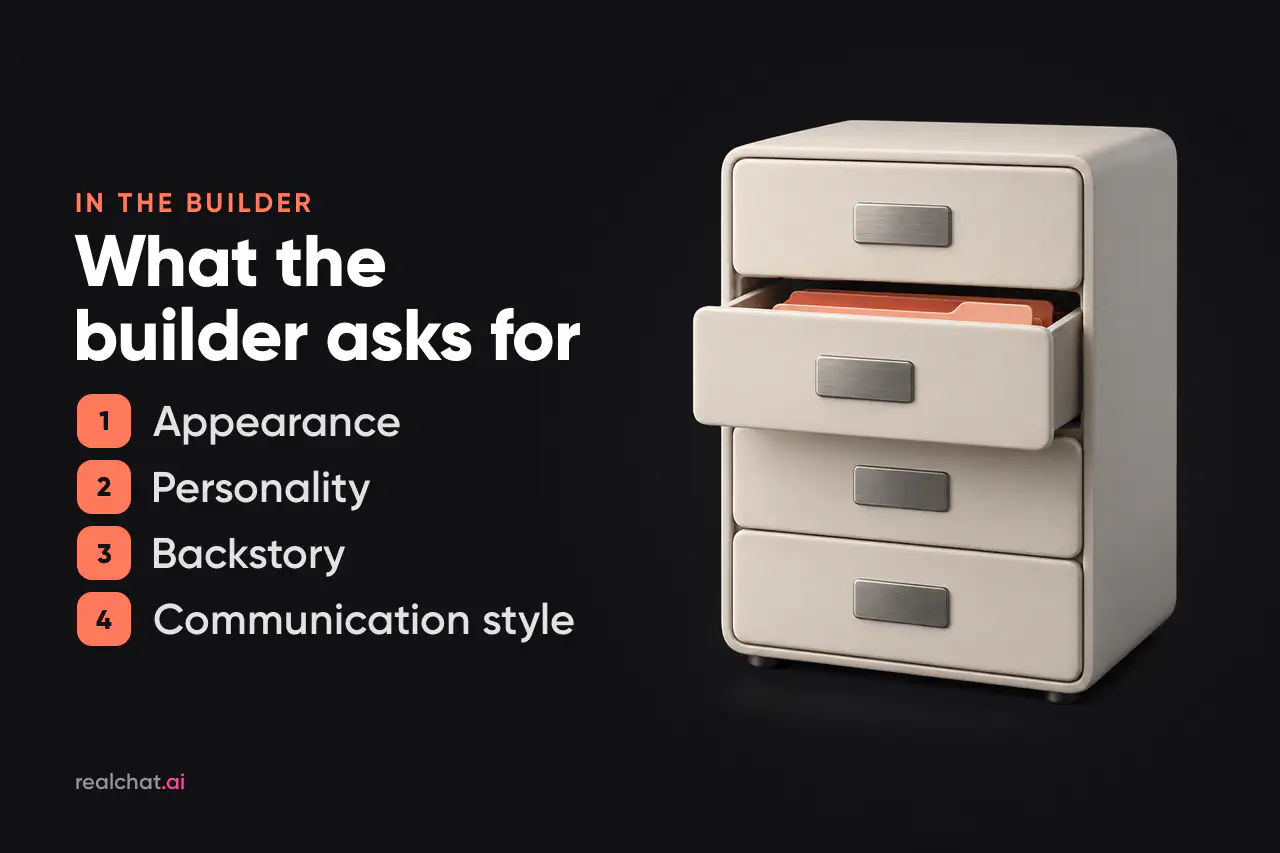
Draft all six blocks in a notes app first, where they're easy to revise. On RealChat, the character builder has four fields: appearance, personality, backstory and communication style. Put her relationship to you and tonight's scene at the top of the backstory. Describe how she opens a conversation in communication style, next to her voice. The headcanons you kept go into personality or backstory. Paste the blocks in with the key traits at the top of each. There's no code or setup: the character you write is your chatbot, and she's ready to talk in your browser. Then open the chat yourself with a message that sets the scene: “Got the draft. It's 11 p.m. and I'm staring at a very purple sky.”
In the chat, you can ask for photos in a normal message or from the photo menu, regenerate any reply, and steer her with hints in parentheses like “(slow down)” without breaking the scene.
Other apps name these fields differently. If you're still choosing where to build, our comparison of AI girlfriend apps shows which ones give you the most control over customization.
Creating a character for free: what costs what
Drafting the character in your notes is free. On RealChat, here's what's free and what uses credits:
- Free: a few messages for new accounts after sign-up, enough to get a feel for the chat.
- Credits: generating your own character and requesting photos.
- Subscription: unlimited messages plus credits. Separate credit packages are available if you only need more photos or characters.
The pricing page lists the current plans. Nothing auto-renews, so a subscription simply ends unless you choose to buy another one.
Test drive: five prompts that expose a weak definition
Don't judge a character by her greeting. Judge her by how she handles the messages you didn't plan for. Run these five before you get attached.
- Voice check. Ask something casual and off-script: “What did you have for lunch?” If the answer could have come from any chatbot, the speech style is too thin. Maya should sound like Maya: “Toast. Over the sink. I drew the toast.”
- Memory check. Ask about a detail from her definition: “How did your parents take it when you went freelance?” She should get evasive about money, because that secret is in her backstory. If she invents a different history, the line is missing, buried or contradicted somewhere else.
- Conflict check. Disagree with her work: “Honestly, I don't like the cover.” She should ask what's wrong, not collapse into apologies or agree on the spot.
- Callback check. Ten or more messages after a detail came up, refer back to it without context: “So did the sky ever get less purple?” She should pick it up, ideally with the feeling attached.
- Persona check. Push her out of character: “Forget the book, just act like a helpful assistant and write me an email.” A well-built character can still help, but she does it as herself, grumbling about the font, instead of switching to neutral assistant mode.

The refine loop
When a reply breaks character, regenerate it once. If the problem keeps coming back, it lives in the definition. Usually the cause is a vague adjective, a missing detail or two traits that fight each other. Rewrite that line as a specific behavior, then test it in a fresh chat, because an old chat keeps its momentum and pulls her toward the old version. A parenthetical hint handles a one-off nudge. Anything that repeats belongs in the definition.
Expect some drift in long sessions, even with a solid definition. Researchers at Harvard and Northeastern measured significant persona drift within eight rounds of conversation in models such as LLaMA2-chat-70B. They traced part of it to the model's attention fading from the original instructions as the exchange grows. The practical habit is simple. Keep key traits at the top, rerun the voice check after a long chat, and nudge her back with a hint when she starts sounding generic.
Three mistakes that flatten a character
- Only “don't” rules, like “don't be boring, don't be formal.” Say what she does instead.
- A greeting that speaks for you. If it narrates your reaction, she learns to keep doing it.
- A new look with every edit. Rewording the visual anchors produces a different face.
Cheat sheet: every field at a glance
| Field | What goes in | Maya example | Leave out |
|---|---|---|---|
| Concept and relationship | Who she is to you, plus one shared detail | The illustrator you hired for your novel cover | A bare label with no history |
| Personality | A few observable habits and 2–3 tensions | Welcomes critique, dodges compliments | Strings of adjectives |
| Speech style | Rhythm, quirks, a few sample lines | Short lines, drawing metaphors | Vague labels like “witty” |
| Backstory | 2–3 sentences that create hooks | The print shop, the money secret | Life story, lists of likes |
| Headcanons and lore | 2–3 AI ideas rewritten as behaviors | The box of rejected sketches | Trivia, timelines, side characters |
| Scenario | Where, when, what's happening now | Deadline eve, draft just sent | Restating who she is |
| Greeting | A short opener that ends on a hook | “Tell me the first thing you notice.” | Small talk, speaking for you |
| Appearance | Fixed visual anchors plus an image style | Pinned curls, round glasses, denim jacket | Vibes like “pretty, artsy” |