The candles are lit and the sigil is chalked on the cellar floor. After twenty messages of ritual, the demon you've been summoning finally answers with a picture of the circle as she sees it. That's AI roleplay with image generation: the story you write with an AI character comes with images. The character can send them, the platform can draw them for the scene, or you can make them on the side and bring them back into the chat.
Plenty of platforms do some version of this, and they do it very differently. If the text side is new to you, start with how AI roleplay works. This guide covers what comes next: the three ways images enter a story, why a character can come back with a different face, which platforms handle pictures well (free ones included), and how to run your first illustrated scene.
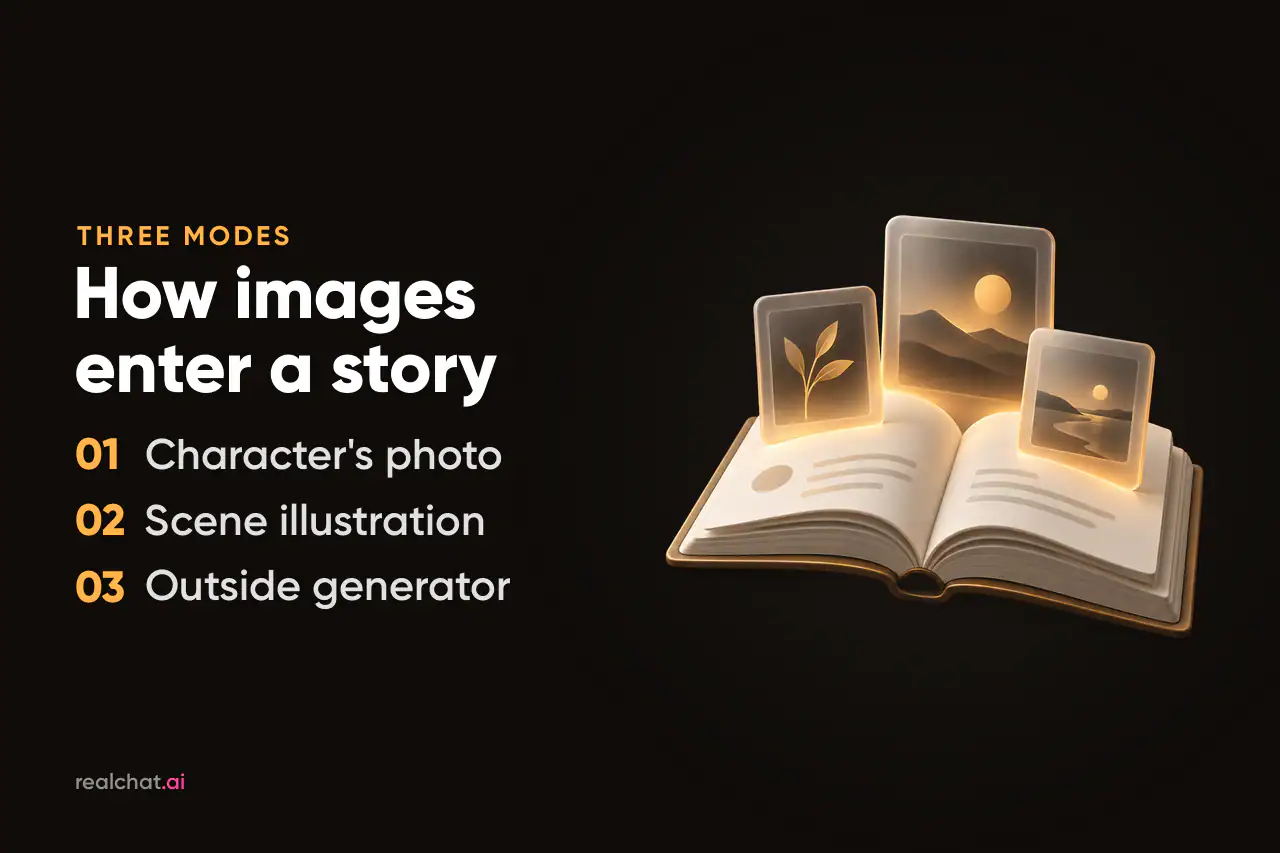
Three ways images get into a roleplay
One running example makes the difference clear. You play a summoner, and the character is Lilith, a freshly summoned succubus.
The character sends a photo
Lilith steps out of the circle and, in character, sends you a picture: the candlelit cellar from where she stands, or herself beside the sigil. It arrives as a chat message, the way a photo would in a texting app. This is the standard mode on companion platforms, usually called a photo or a selfie. It suits stories where the character and your relationship with her drive the plot.
The scene gets illustrated
Here the picture belongs to the story rather than to her: the chalk lines flaring, a portal tearing open above the altar, the room washed in violet light. Story-game platforms illustrate every scene automatically. Others add art for key moments or turn a single reply into an image. This mode suits quests and adventures, or anything heavy on place and action.
You make the image elsewhere and bring it back
You prompt a separate image generator yourself. Then you upload the result into the chat, if the platform lets characters see images, or you turn it into a story beat: the old grimoire falls open to an engraving of the very circle you just drew. You get full control over the picture, but it has no built-in connection to the story. The chat only knows what you show or tell it.
What actually happens when an image is generated
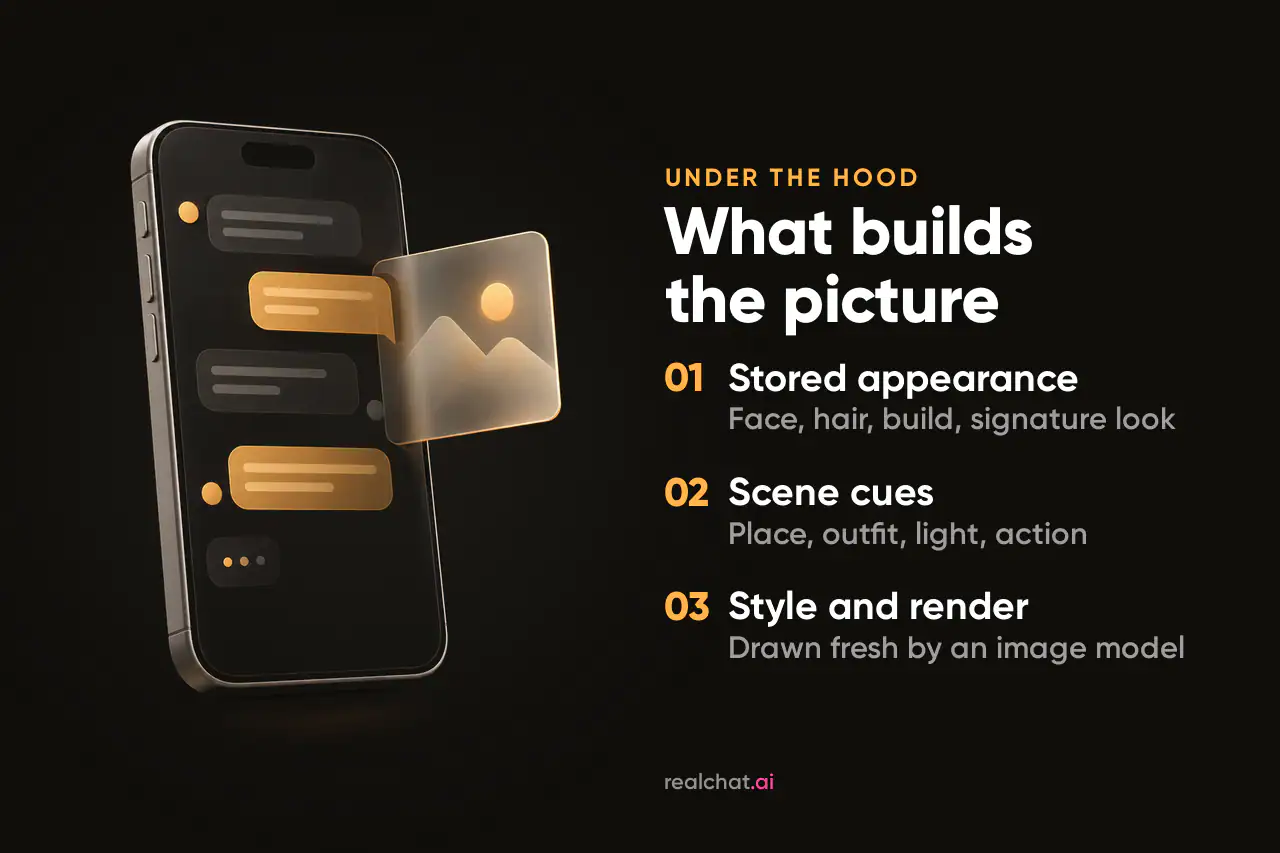
Behind the button, an image in a roleplay is a text prompt the platform writes for you. It usually has three parts:
- The stored appearance: what the character's definition says about her face, hair, build and style. It stays constant, and it's the main thing linking one picture to the next.
- Cues from the scene: where you are, what she's wearing right now, the light, what she's doing. These come from your request and, on many platforms, from the last few messages.
- The style: photoreal, anime or painterly, set by the character, the platform or a menu.
An image model then renders the prompt in seconds. Unless the platform keeps a reference image of the character, each picture is drawn fresh, with no memory of the last one. That explains most of what goes right and wrong. A vague appearance gets filled in differently every time, and thin scene cues give you a generic backdrop instead of your candlelit cellar.
How much of the conversation reaches the prompt varies. Some companions build their photos around the setting, outfit and activity in the chat, and some tools illustrate the current moment of the story. A safe working assumption: the image knows the appearance and your last message, and not much else.
Why your character changes faces, and how to stop it
Face drift is the best-known problem in this category. Generate five images of the same fictional character and each can come out with a different face, outfit and overall look. That's why image tools like RenderNet built face-lock features just to hold one face steady. Inside a roleplay, the usual causes are:
- an appearance that's too vague, or written as a pile of keywords;
- scene cues that contradict the definition, such as a new hairstyle mentioned in passing;
- a switch of art style;
- too many changes in one request.
The fixes all come down to leaving the model fewer gaps to fill:
- Fix three to five visual anchors and never change them: hair color and cut, eye color, one signature garment or accessory, one distinctive mark.
- Write the appearance in sentences, not tags. Compare “A woman in her early thirties with a long silver braid over one shoulder, sharp green eyes and a thin scar through her left eyebrow, always in a dark green hooded cloak” with “silver hair, green eyes, scar, cloak.” The first gives the model far more to hold on to.
- Keep identity and wardrobe apart. Face and build belong in the definition. Today's outfit, mood and location belong in the message.
- Use a reference image where the platform supports one. For a realistic character, a clean, well-lit face shot does more than extra adjectives.
- Regenerate instead of arguing. Telling the character her eyes came out wrong rarely fixes the next picture, and it clutters the story.
Building the rest of the character is its own craft, covered step by step in our guide to creating an AI character people want to talk to. For images, the anchors are the part that counts.
Realistic, anime or painterly: picking a style for the story
Style changes more than the look. It also changes how forgiving the images are.
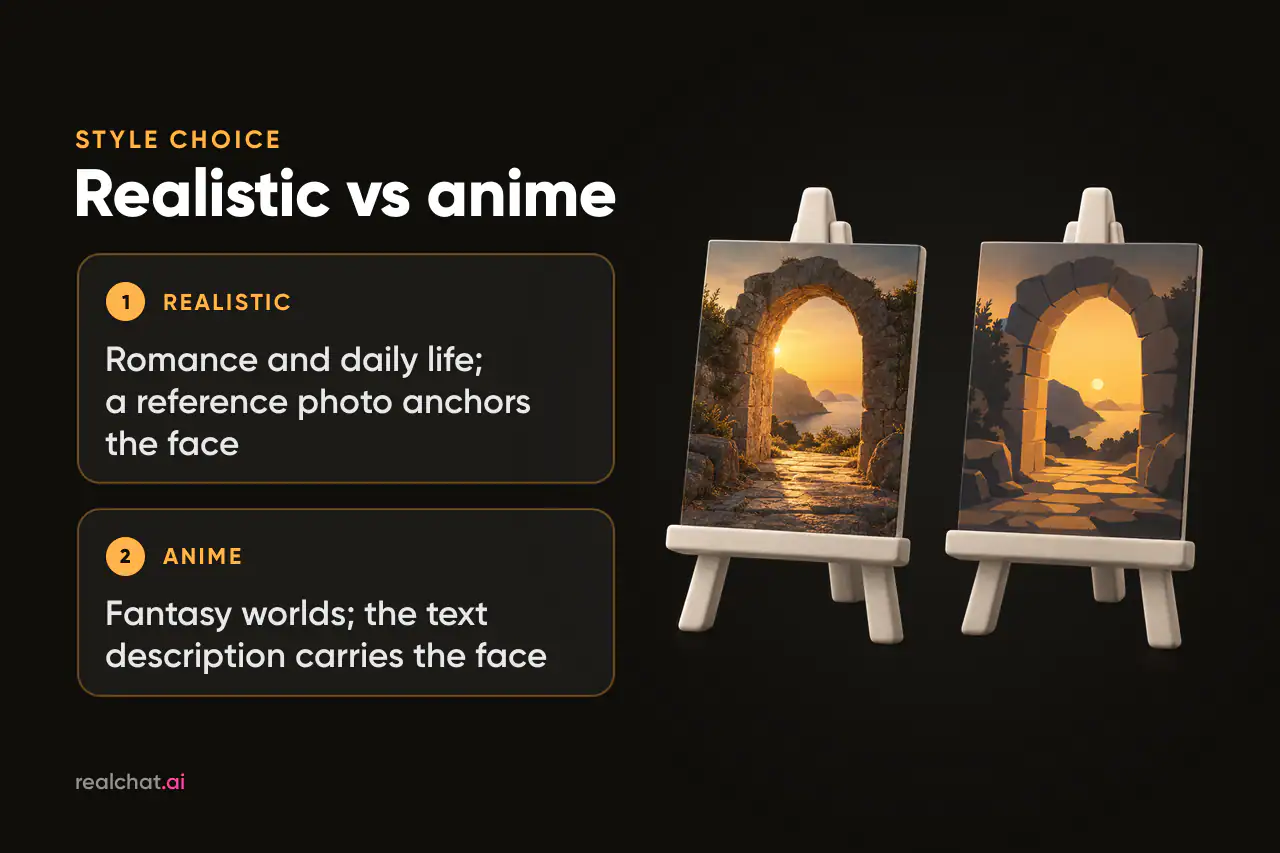
Fantasy roleplay is full of succubi, elves, ruined temples and glowing sigils, and it usually looks best in anime or painterly styles. Those styles handle magic light and impossible architecture naturally, while photoreal fantasy can drift toward a costume party.
Romance and slice-of-life stories tend to suit realistic photos: a café at golden hour, a rainy window, a late walk home. The appeal is a picture that looks as if someone actually took it and sent it to you.
Story games lean on stylized art such as painterly RPG, webtoon, watercolor or pixel art. There, one image has to carry a whole scene rather than a single face.
Anime characters work well, with one difference: their identity lives mostly in the text. A realistic face leans on a reference photo. An anime face is defined by hair, eyes, silhouette and outfit, so a precise description does most of the work. Whatever you pick, keep one style per story. A switch can be fun for a dream sequence, but it's also the quickest way to turn a familiar character into a stranger.
Where to roleplay with images
Every platform below generates images inside the chat or the story. The table draws on the platforms' own descriptions and recent reviews as of October 2026.
| Platform | How images show up | Free access | Best for |
|---|---|---|---|
| RealChat (our product) | Characters send AI photos mid-chat, on request in a message or from the photo menu | Chat before signing up; photos need an account and credits | Ready-made characters and scenarios, realistic or anime |
| Candy AI | In-chat photos in realistic or anime styles, plus voice and video | Very limited; images spend tokens on top of a subscription | Photo-heavy companion chats |
| OurDream AI | In-chat images, short video and voice, metered in DreamCoins | Signup coins, no card needed | Images and video on one plan |
| Kindroid | Selfies built from an avatar description and image, photoreal or anime; group selfies | Free tier narrowed in October 2026; selfies use credits | One custom companion with a steady face |
| Nomi | Selfies shaped by the chat's setting, outfit and activity; separate art generation | Small daily image allowance | Photos that match the moment |
| SpicyChat | In-chat images on higher paid tiers; you can also send images the bot sees and answers | Unlimited messages with ads, no in-chat images | Text-first roleplay |
| Character.AI | Imagine Chat, Imagine Message and c.ai Comics; safe-for-work only | Free chat; c.ai+ adds the Imagine Gallery | SFW story images |
| Mythx | Every scene illustrated; 22 art styles, switchable mid-adventure | Free to start | An illustrated story game |
| HammerAI | Image generation built into chat, with local or cloud models | Says chat is free; no account needed | Free tinkering |
Picks by what you want to play
Fantasy roleplay. Mythx is the most direct route to an illustrated adventure: thirteen worlds with recurring characters, and every scene drawn as you play. If you'd rather design one fantasy companion yourself, Kindroid ties every selfie to a fixed avatar in anime or photoreal style. On RealChat, anime-style characters such as Lilith are ready to play.
Romance roleplay. Candy AI and OurDream AI put realistic photos and short video at the center, paid for in tokens or coins. Nomi suits stories where a photo should reflect the moment, since its selfies pick up the conversation's setting and outfit.
Free tinkering. HammerAI says its chat is entirely free, with image generation built in and no account required. For safe-for-work story images, Character.AI's Imagine tools work inside ordinary chats.
Ready-made characters with photos. RealChat, our product, is set up for this. Choose a character or a scenario and ask for photos mid-story without building anything first.
Text first, images second. SpicyChat's large community library and strong chat make it a writing-first pick. Treat its images as an extra.
Free vs paid: how image credits usually work
Free AI roleplay with image generation exists, but free almost always means limited. Images are the expensive part of an AI chat, so most platforms keep text free or flat-rate and meter pictures separately. You'll meet five patterns:
- A small daily allowance. Nomi's free tier includes a couple of image requests a day, while Premium allows 40 photo or art requests daily, according to AI Haven's Nomi review.
- One-off signup coins. OurDream AI gives new accounts a batch of DreamCoins without a card. After that, images draw on a subscription's monthly coins.
- Images behind a tier. SpicyChat's free plan has unlimited messages with ads and queues, but in-chat images start at its True Supporter tier.
- Subscription plus tokens. Candy AI's Premium covers text and includes a monthly token allowance. Images, voice and video spend those tokens, and heavy users top up.
- Free by design. HammerAI can run models on your own computer as well as in the cloud, and says chat stays free either way.
Free modes also tend to mean slower queues or lower-quality renders. Before you get attached to a character, check what one image costs and whether unused credits expire.
On RealChat, a subscription is a single payment for one, three or twelve months, with no auto-renewal. It gives you unlimited messages plus credits for photos and character generation. Plan credits burn when the plan ends, while credits from separate packs never expire. You can chat with any catalogue character before signing up, but photos need an account and credits. Current plans are on the pricing page.
What Reddit threads and reviews keep raising
Read enough roleplay communities and reviews, and three complaints come up again and again.
Face drift. The character who looked one way on Tuesday comes back as someone else on Friday, even on well-regarded apps. The anchors above shrink the problem, but few platforms make it vanish.
Credit burn. Images feel cheap until you want one every few messages in a long scene. The common advice is to decide which moments deserve a picture: an arrival, a reveal, a change of place.
Good pictures and weak writing, or the reverse. Image-first apps can produce great photos around flat dialogue, while text-first platforms write strong scenes with weak images. One detailed SpicyChat review scored its chat 4.1 out of 5 and its image generation 1.0, citing pictures that ignored prompts and lacked consistency. Since the story is the point, judge the writing first.
Your first illustrated scene on RealChat
Here's the summoning example on our platform, in five steps.
- Choose a starting point. Browse the ready-made roleplay scenarios for an opening situation, or go straight to a character. Lilith fits a fantasy story and is drawn in anime style. You can chat with catalogue characters before signing up.
- Set the scene in words. Before you ask for a picture, give the story something to draw: the cellar, the candles, the chalked sigil, rain against a high window. Characters keep meaningful details from the conversation, so the setting stays part of the story as it moves on.
- Ask for a photo the way the story would. Asking in character, with the scene in the same line, works best: “Show me the circle from your side, candles and all.” The photo menu in the chat does the same job.
- Regenerate instead of debating. If a reply misses, regenerate it. To steer the story itself, add a short note in parentheses, like “(slow down)”. It works without breaking the scene.
- Or build your own. In the character builder, the appearance description drives every photo she sends, so write your anchors there. Your first character is free and can be made before signing up. It's kept for seven days and moves to your account when you sign in.
When an image misses: three quick fixes
- Wrong place: put the setting in the same message as the request (“by the altar, candles only, smoke in the air”), not ten messages back.
- Wrong outfit: name what she's wearing in this scene. The definition can't know she changed.
- Close but not quite: change one thing per retry so you can tell what worked.
Get the words right and the pictures follow: the clearer the scene on the page, the closer the image lands.